

0 item(s)
View cart
You have no items in your shopping cart.
Last Updated: September 22, 2026
The open architecture security system vs cloud-only debate has moved from theoretical to urgent. According to SentinelOne's 2026 cloud security statistics, 80% of organizations will face cloud data breaches in 2026 due to identity drifts, while a Gartner projection cited in the same report attributes 99% of cloud security failures to customer-side misconfigurations. At IMRON Corporation, we've watched security directors at multi-site enterprises wrestle with a false choice: accept a closed cloud platform or stay locked to aging on-premises hardware.
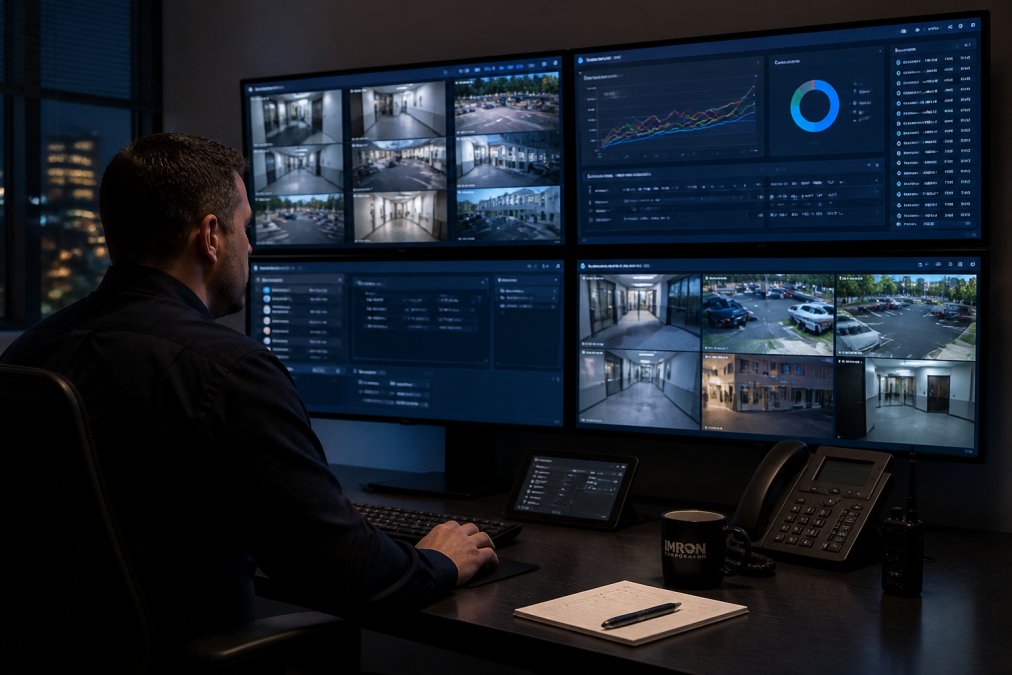
Cloud-only platforms run entirely on vendor-hosted infrastructure, so your access decisions depend on their uptime and their API surface. Open architecture systems can be deployed on-premises, in the cloud, or in a hybrid configuration, which matters when a network edge device loses connectivity. The practical difference shows up in latency and failover: local controllers keep doors functioning during an outage, while cloud-only architectures route every decision through a remote data center.
The shared responsibility model splits duties between platform vendor and customer, and the split shifts with deployment type. In cloud-only systems, the vendor secures the infrastructure while you own identity management, user authentication, and configuration. On-premises deployments push nearly everything to your team. Misconfigured access policies remain the leading cause of breaches regardless of model, which is why 98% of businesses reported cloud-related security breaches in the past two years even as 94% said cloud adoption improved their overall security posture (Softjourn's 2026 cloud computing statistics(https://softjourn.com/insights/cloud-computing-stats)).
The core benefit of open architecture security platforms is optionality: you choose best-of-breed hardware per site instead of accepting whatever a single vendor ships. That flexibility compounds across large deployments. A campus with legacy Wiegand readers in three buildings and OSDP panels in two others can run both through one management layer, then replace hardware on its own schedule.
| Capability | Open Architecture | Cloud-Only |
|---|---|---|
| Hardware choice | Any supported vendor | Vendor's catalog only |
| Deployment | Cloud, on-prem, hybrid | Cloud only |
| Outage behavior | Local failover | Dependent on vendor uptime |
| Integration method | Published APIs, OSDP | Proprietary API |
| Best for | Multi-site, mixed hardware | Single-site, simple needs |
Interoperability determines how much of your existing infrastructure survives a platform migration. Open systems expose API integration and support standard protocols, so video management, intrusion detection, and visitor management connect without custom development. Research published in MDPI's 2023 access control design study(https://www.mdpi.com/2079-9292/12/1/1) documents how access control mechanisms in cloud-native architectures require deliberate design to manage security across distributed environments, a problem open protocols are built to address.
Scalability in an open architecture security system comes from separating the management layer from the hardware layer. Adding a building means adding controllers, not replacing a platform. Remote management lets one team administer access rights, firmware updates, and real-time monitoring across sites in different states from a single interface.
Avoiding vendor lock-in in physical security starts with one question: if you switched platforms tomorrow, how much hardware would you have to scrap? Closed cloud platforms tie cameras, readers, and controllers to a single subscription, and pricing tends to rise once migration costs make leaving impractical. The multi-year math is unforgiving. Subscription models can cost significantly more than on-premises systems across a five-year horizon, a complaint that surfaces repeatedly among IT administrators (r/sysadmin discussion on cloud cost overruns(https://www.reddit.com/r/sysadmin/)).
A practical way to size your exposure is a switching-cost audit. List every device on the network, note its protocol (Wiegand, OSDP, ONVIF, proprietary), and estimate replacement cost per device. Then ask the incumbent vendor two questions in writing: what is the export format for credentials and audit logs, and what happens to device firmware if you stop paying the subscription? Vendors with open architectures answer both in a page.
On-premise vs cloud access control cost analysis usually compares the wrong numbers. Cloud pricing is OpEx: predictable monthly fees that never stop. On-premises is CapEx: a larger upfront outlay that depreciates. The honest comparison is total cost of ownership over five to seven years, including support, updates, and integration labor. What most comparisons miss is that open architecture changes the shape of the cost curve, not just the starting point, because it lets you dual-source hardware, reuse existing readers, and avoid the forced-refresh cycle that closed platforms build into their roadmap.
A working TCO calculation follows six steps, not four:
For reference, IMRON's SAFR facial recognition subscription runs $300 annually per unit and includes 1 million API calls per camera per month with 30 days of event retention, so overages are a real line item to model. On the hardware side, IMRON's Atlas One Door Controller at $490 and IC2 Two Door Controller at $981 give a concrete CapEx anchor for a per-door comparison, a two-door cloud subscription at $30 per door per month reaches $3,600 over five years, which is more than the IC2 controller plus a perpetual license in most configurations.
The line most TCO models omit is the cost of being unable to dual-source. When a single vendor controls both the hardware and the management layer, you pay their price at renewal because the alternative is a full rip-and-replace. Open architecture converts that recurring risk into a one-time integration cost. For a 15-building deployment, the difference between a 5% and a 15% renewal increase on a $200,000 annual subscription is $100,000 over five years, enough to fund a controller refresh across the portfolio.
Hybrid architecture security resolves the binary. Roughly 90% of organizations now operate in a hybrid cloud environment, according to Sentry Tech Solutions' 2026 cloud vs on-prem analysis(https://sentrytechsolutions.com/blog/cloud-vs-on-prem-2026-the-debate-that-will-not-die), which signals that "cloud-only" mandates are losing ground to architectures that balance both. In practice, hybrid means cloud management with local decision-making: credentials and video live in the cloud, while controllers at each site keep doors operating if the connection drops.
Cyber-physical convergence is where physical security and cybersecurity stop being separate budgets. Every networked camera, reader, and controller is an endpoint, and identity management now spans both domains. The Cloud Security Alliance and Strata Identity report that enterprises are in a "Time-to-Trust" phase, building foundations for AI autonomy in security architectures (Cloud Security Alliance 2026 survey(https://cloudsecurityalliance.org/press-releases/2026/02/05/cloud-security-alliance-strata-survey-finds-that-enterprises-are-in-time-to-trust-phase-as-they-build-ai-autonomy-foundations)).
Open architecture security systems are designed to integrate with a variety of hardware and software from different vendors, allowing you to use existing cameras, access control panels, and other devices. Cloud-only systems typically require proprietary hardware and software from a single vendor. This means open architecture offers greater flexibility and can preserve your existing investments, while cloud-only may lock you into a specific ecosystem.
Yes. Open architecture platforms like IMRON's UnityIS can be deployed in the cloud, on-premises, or in a hybrid environment. This flexibility lets you choose the best model for each site or application. For example, you might use cloud for remote management and on-premises for critical infrastructure. This is a key benefit of open architecture: it doesn't force you into one deployment model.
Vendor lock-in can significantly increase long-term costs because you are forced to buy hardware, software, and support from a single vendor, often at higher prices. Upgrades and expansions may require replacing entire systems rather than integrating new components. In contrast, open architecture allows you to choose best-of-breed solutions and negotiate better pricing. Avoiding vendor lock-in in physical security is a major factor in reducing total cost of ownership over five to ten years.
Cloud-only systems rely on internet connectivity for operation. If the connection goes down, you may lose access to critical security functions. Open architecture systems can be deployed on-premises or in a hybrid model, so local operations continue even during an outage. For example, access control decisions can be made at the edge, ensuring doors remain secure. This makes open architecture more resilient for high-availability environments.
Compliance standards such as UL 294 for access control and FCC Part 15 for electronic devices apply to both models. However, cloud-only systems may raise data sovereignty concerns if data is stored outside your region. Open architecture allows you to keep data on-premises or in a private cloud, which can simplify compliance with regulations like HIPAA for healthcare or CJIS for law enforcement. Always verify that your chosen platform meets the specific standards for your industry.
 IMRON Corporation