

0 item(s)
View cart
You have no items in your shopping cart.
Last Updated: September 5, 2026
Vendor lock-in for security hardware rarely announces itself at the procurement stage. It surfaces years later, when a camera fleet reaches end-of-life or an acquisition forces you to unify two incompatible access control systems. At that point, the true cost is not the hardware line item but the forced migration, the proprietary integration fees, and the lost negotiating power you hand to a single supplier.
The pattern is familiar to any security director who has managed a multi-site deployment. A proprietary architecture feels efficient during the first install because everything is pre-integrated and supported by one vendor. Over time, however, that efficiency converts into dependency: firmware updates arrive on the vendor's schedule, hardware refresh cycles align to their roadmap, and requests for data portability or API access are met with silence or a costly custom development quote.
What most procurement teams miss is that the exit strategy must be designed before the purchase order, not after the system is entrenched. CISA guidance on secure by design principles emphasizes that organizations should evaluate how easily they can transition data and configurations between systems as part of their initial risk assessment. That evaluation is the foundation of avoiding vendor lock-in for security hardware, and it needs to happen while you still have use.

The proprietary vs open source security hardware debate is not about ideology. It is about what happens to your total cost of ownership when your portfolio grows from five sites to fifty. A proprietary system scales predictably within its own ecosystem, but scaling across sites often means purchasing additional licenses, upgrading controllers, and locking every new location deeper into the same vendor's roadmap.
Open source and open architecture hardware change that equation. Open standards for communication protocols and hardware abstraction layers mean a door controller from one manufacturer can talk to a management platform from another. When you scale, you are not bound to a single supplier's availability, pricing changes, or product discontinuations. You can bid each new site's hardware competitively and integrate it into your existing management layer.
The operational difference becomes visible during mergers and acquisitions. Organizations running proprietary systems frequently discover that integrating an acquired facility's security infrastructure requires a full rip-and-replace. With open architecture, the integration cost drops to configuration and testing rather than forklift upgrades.
Hardware interoperability standards are the technical foundation that prevents vendor lock-in for security hardware. Standards such as ONVIF for cameras and OSDP for reader-to-controller communication ensure that devices from different manufacturers can exchange data and commands without custom middleware. When your procurement specifications require compliance with these standards, you preserve the ability to swap components without rearchitecting the entire system.
Interoperability also protects your legacy systems. A common mistake is assuming that older hardware must be replaced to adopt a modern management platform. In practice, standards-compliant legacy cameras and controllers can often be brought under a new software layer through protocol translation and API integration. The integration layer, not the hardware itself, determines how long your existing infrastructure remains useful.
The security posture benefit is equally important. Proprietary systems that obscure their communication protocols make it harder for your team to monitor traffic, apply patches, or integrate cybersecurity tools. NIST guidance on IoT device cybersecurity recommends that organizations prioritize devices supporting standardized, auditable communication protocols to reduce supply chain and operational risk. Open standards give your security team visibility and control that proprietary architectures simply do not offer.
For multi-site operations, the benefits of open architecture security platforms center on unified management without forced hardware standardization. A platform built on open architecture lets a regional manager view access events, video alarms, and visitor logs across dozens of facilities from a single interface, regardless of which manufacturer's controllers or cameras sit at each location.
Centralized monitoring across a heterogeneous hardware base also improves incident response. When an alarm triggers at a remote site, an open platform can correlate that event with video from whatever cameras are installed there, even if those cameras are a different brand than the site next door. The platform handles the hardware abstraction, so operators interact with one consistent workflow instead of jumping between vendor-specific clients.
This approach directly addresses the question of rip-and-replace. Organizations already running systems from other providers do not need to discard them to gain unified management. An open platform integrates with leading access control hardware and video management systems, preserving the capital already invested while adding the centralized visibility that was missing.
Integrating legacy infrastructure into a modern security platform requires a deliberate sequence, but the real challenge is navigating hardware-specific quirks. A common pattern is discovering that a legacy camera or controller uses a proprietary variant of a standard protocol, or that its firmware is so outdated it cannot speak the modern dialect of ONVIF or OSDP.
The first step is a complete inventory of existing hardware, including firmware versions, communication protocols, and certification status. This audit determines which devices can be brought forward through standards-based integration and which have reached genuine end-of-life. The key is to test for protocol compliance, not just physical connectivity. For example, a camera that supports ONVIF Profile S for streaming but lacks Profile T for advanced analytics may still be usable for basic video verification, but it will not support modern forensic search features. Knowing these profile-level details before you start prevents costly mid-project surprises.
A second, often overlooked practice is to segment the integration rollout by hardware generation, not just by site. Pilot the integration at one facility, validate alarm routing, video correlation, and access control behavior, then replicate the configuration across remaining sites. This phased approach keeps your security posture intact during the transition and gives your operators time to learn the new workflows. When you hit a hardware-specific snag, say, a legacy reader that only supports Wiegand protocol instead of the more secure OSDP, the pilot gives you a safe place to test a protocol converter or decide whether that reader truly needs replacement.
Third, plan for the cybersecurity implications of consolidation. Unifying physical security systems into one platform creates a higher-value target, so the platform must support strong authentication, encrypted communication from host to reader, and continuous monitoring of connected devices. SANS Institute guidance on securing converged IT and OT networks highlights that converged networks require dedicated visibility into device behavior to detect anomalies that traditional IT tools miss. An open platform that supports telemetry collection and security assessment across connected hardware closes this gap. But here is the hardware-specific twist: many legacy devices cannot be patched to support modern encryption like TLS 1.3. In those cases, your integration strategy must include network segmentation, placing those devices behind a gateway that handles encryption on their behalf, rather than assuming the platform can secure them directly.
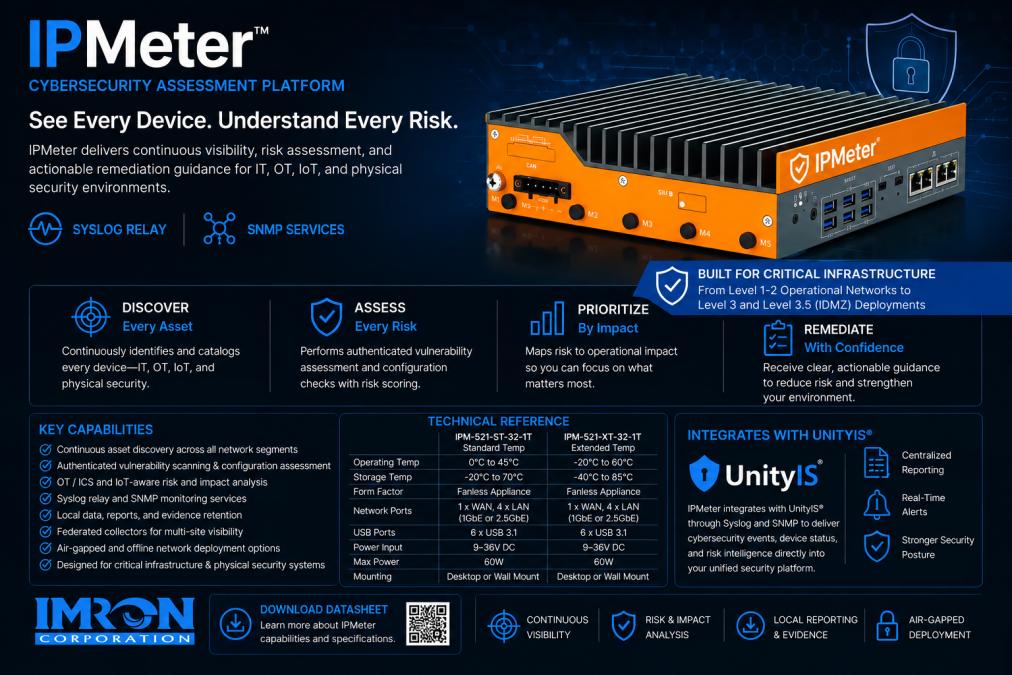
Finally, consider the supply chain angle. When you integrate legacy hardware, you are also inheriting its supply chain risk. A camera model that is no longer manufactured may have no available spare parts, and its firmware may have unpatched vulnerabilities. Your integration plan should include a risk assessment for each hardware generation, not just a connectivity test. This is where the 'exit phase' of hardware lifecycle management begins: you are determining how long each device can safely remain in service and what its replacement trigger will be. This forward-looking approach turns a one-time integration project into an ongoing lifecycle discipline.
A practical exit strategy for avoiding vendor lock-in for security hardware starts with a procurement checklist that treats interoperability as a non-negotiable requirement. Every request for proposal should mandate compliance with open standards, require documented APIs for data export, and specify that the vendor does not restrict the use of third-party hardware or software. These clauses are your first defense against proprietary architecture creeping into future purchases.
But the checklist is only half the battle. The other half is understanding the true cost of the exit itself, which is where most TCO models fall short. A useful TCO model must account for the 'lock-in tax', the premium you pay for proprietary maintenance contracts over the system's lifespan. This tax is not just the annual service fee; it is the compounding cost of being unable to competitively bid replacement parts, the forced labor rates for vendor-certified technicians, and the downtime you absorb while waiting for a vendor's scheduled maintenance window.
To calculate this tax, build a simple spreadsheet model that tracks five cost categories across a 7-year horizon: (1) initial hardware and installation, (2) annual maintenance and licensing, (3) integration costs for new sites or third-party tools, (4) migration costs if you switch vendors mid-lifecycle, and (5) decommissioning costs, including secure data sanitization and disposal. For the proprietary quote, assume that integration costs rise 10-15% annually as the vendor's API becomes more complex or less documented. For the open architecture quote, assume that integration costs stay flat because you are using standardized protocols. The gap between those two lines is your lock-in tax.
A second, often ignored component of the exit strategy is hardware decommissioning. When you exit a proprietary ecosystem, you are disposing of physical devices that may contain sensitive data, encryption keys, or biometric templates. The exit strategy must include a data sanitization plan that meets NIST SP 800-88 guidelines. Secure erasure of solid-state drives requires specialized tools, and some devices may need to be physically destroyed to guarantee data removal. If your vendor's proprietary format prevents standard sanitization procedures, you may be forced to pay for their certified disposal service, adding another layer to the lock-in tax.
Finally, the exit strategy should include a hardware refresh trigger. Define the conditions under which you will replace a device, not just when it fails. Common triggers include: end of vendor support, inability to patch critical vulnerabilities, failure to meet new cybersecurity standards, or a 30% increase in maintenance costs over baseline. By pre-defining these triggers, you avoid the trap of extending a proprietary system's life because 'it still works.'
Evaluation Criterion |
Proprietary System |
Open Architecture System |
|---|---|---|
Initial hardware cost |
Often lower |
Comparable |
Migration cost at year 5 |
High (rip-and-replace) |
Low (component swap) |
Integration with third-party tools |
Limited or custom |
Standards-based |
Negotiating use at renewal |
Low |
High |
Data portability |
Restricted |
Full export via APIs |
Decommissioning cost |
High (vendor-certified disposal) |
Moderate (standard sanitization) |
Lock-in tax (7-year TCO) |
20-30% above initial quote |
Flat or declining |
This framework gives procurement teams a concrete way to compare options on the full cost of ownership, including the exit. That is the discipline that prevents vendor lock-in for security hardware.
The organizations that avoid vendor lock-in for security hardware share one trait: they treat interoperability as a procurement requirement, not a technical detail. They specify open standards, demand data portability, and build exit strategies before they sign the contract. The result is negotiating use, lower total cost of ownership, and the freedom to adopt best-of-breed technologies as their needs evolve.
At IMRON Corporation, we have spent nearly three decades building UnityIS®, an open-architecture security management platform designed around this principle. UnityIS® integrates with leading access control hardware, cameras, and third-party security technologies, so you preserve existing infrastructure investments while unifying operations across thousands of sites. Deploy it in the cloud, on-premises, or hybrid, and manage access control, video, intrusion, and building systems from a single interface without proprietary dependency.
The risk of vendor lock-in is not a problem you solve once. It is a discipline you apply at every procurement cycle, every refresh, and every new site. Start with the checklist above, and choose a platform that keeps your options open.
Prioritize open architecture platforms and hardware that supports industry-standard protocols like ONVIF for cameras and OSDP for readers. Before signing, ask the vendor for a written exit strategy that covers data portability, API documentation, and firmware ownership. Verify that the management software can run on-premises or in a hybrid deployment, not exclusively on the vendor's cloud. This ensures you can migrate components without a full rip-and-replace project.
The biggest risks are escalating costs and limited flexibility. Proprietary systems often require specific controllers, cameras, or software licenses, giving the vendor pricing power during renewal cycles. When you need to scale, you may face expensive migration costs or technical debt if the vendor's roadmap lags your needs. Hardware refresh cycles become dictated by the vendor's release schedule, not your operational requirements, which can create security gaps and force premature capital expenditures.
It means your security infrastructure management platform and hardware are not dependent on a single manufacturer's proprietary architecture. In practice, a no-lock-in approach allows you to mix and match access control readers, door controllers, and cameras from different providers, all managed through one unified interface. If you decide to switch a component, you can do so without rewriting your entire system or losing your historical data. This preserves your existing investments and keeps procurement competitive.
Open architecture protects your initial investment by letting you retain existing cameras, door hardware, and servers when you upgrade software. Instead of replacing functional hardware, you integrate it into a new management platform, avoiding rip-and-replace costs. It also extends hardware lifecycle management, allowing you to refresh devices on your own schedule. Over a typical cycle, this can significantly lower your total cost of ownership compared to a proprietary system with forced upgrades.
EXPLORE THE PLATFORM with UnityIS® and see how open architecture protects your infrastructure investments while modernizing your security operations.
 IMRON Corporation