

0 item(s)
View cart
You have no items in your shopping cart.
Last Updated: September 20, 2026
Disparate security systems are separate, standalone technologies that don't communicate with each other. Your access control system runs on one platform. Your video surveillance runs on another. Your alarm system is a third. They operate in silos, forcing your security team to jump between multiple interfaces to respond to incidents.
A unified security platform can unify disparate security systems by bringing these separate systems together into one integrated environment. Instead of managing three different dashboards, your team uses a single interface to control access, monitor cameras, and respond to alarms simultaneously. According to CM3 Inc.'s 2026 security technology trends analysis, integration of video surveillance, access control, and communications into one platform is among the top security priorities for organizations this year.
When your security tools don't talk to each other, response times suffer. A door alarm triggers, but your team must manually pull up the camera feed from a different system, losing critical seconds.
IMRON Corporation's approach focuses on helping organizations unify disparate security systems and move from fragmented environments to truly integrated operations without requiring costly system replacements.
Siloed infrastructure creates blind spots. If an incident occurs, your team reconstructs the timeline manually, pulling information from multiple sources across separate systems.
False alarms increase significantly in siloed environments because teams lack immediate visual confirmation to verify threats quickly, leading to wasted response efforts and alert fatigue.
According to IBM Institute for Business Value research, employing multiple disparate security solutions actually undercuts overall security effectiveness. Platformization reduces detection and containment times substantially. Organizations using unified systems respond to incidents 40% faster on average than those managing separate tools.
Siloed systems also create compliance headaches. Security events get recorded in different formats across different databases, making incident timeline assembly take days instead of hours.
Integrated systems deliver immediate operational wins. Your team works from a single dashboard, seeing access events, camera feeds, alarm status, and visitor information simultaneously. Response times drop because information flows instantly instead of requiring manual lookups.
Cost efficiency improves through eliminated duplicate licensing fees, reduced staffing needs (one operator managing what previously required two), and shorter training time.
Unification projects require financial justification. Here's a practical framework for calculating return on investment:
Direct Cost Reductions:
Indirect Cost Reductions:
ROI Timeline:
Scalability becomes straightforward. Adding a new building means expanding one system, not integrating three separate ones. Organizations managing multiple locations can benefit from a unified approach because the administrative burden of separate systems compounds across each location.
Integration strengthens your security posture through automated workflows. Door unlocks trigger video recording; alarms trigger zone lockdowns. These respond faster than human operators.
Document what you have by listing every security component (access control, video surveillance, alarms, visitor management, building automation) and for each: manufacturer, model, software version, integration capabilities, licensing terms, and vendor relationship.
This audit reveals which systems integrate easily and which require custom development. Check your IT infrastructure too, network architecture, firewall rules, and cloud capabilities determine whether you prefer on-premises or cloud-based deployment.
Open architecture integrates with best-of-breed hardware from multiple manufacturers; proprietary platforms lock you into one vendor. Look for platforms supporting standard video protocols (ONVIF, RTSP), open access control APIs, industry-standard databases, third-party analytics, and cloud/on-premises deployment.
IMRON Corporation's UnityIS® platform exemplifies open-architecture design, integrating with leading hardware from multiple manufacturers. This preserves existing infrastructure investments while avoiding vendor lock-in.
When evaluating platforms, test integration with your specific hardware. Request a proof-of-concept that connects your actual access control system and cameras. This reveals whether integration works smoothly or requires expensive custom development.
Start small with a single facility, integrating access control and video surveillance first. Establish clear data ownership (which system is authoritative for each data type). Plan for redundancy so local controllers operate independently if the central platform fails. Document API connections, data mappings, and workflow automation. Test workflows extensively before full deployment, verifying automated actions and critical function access during outages.
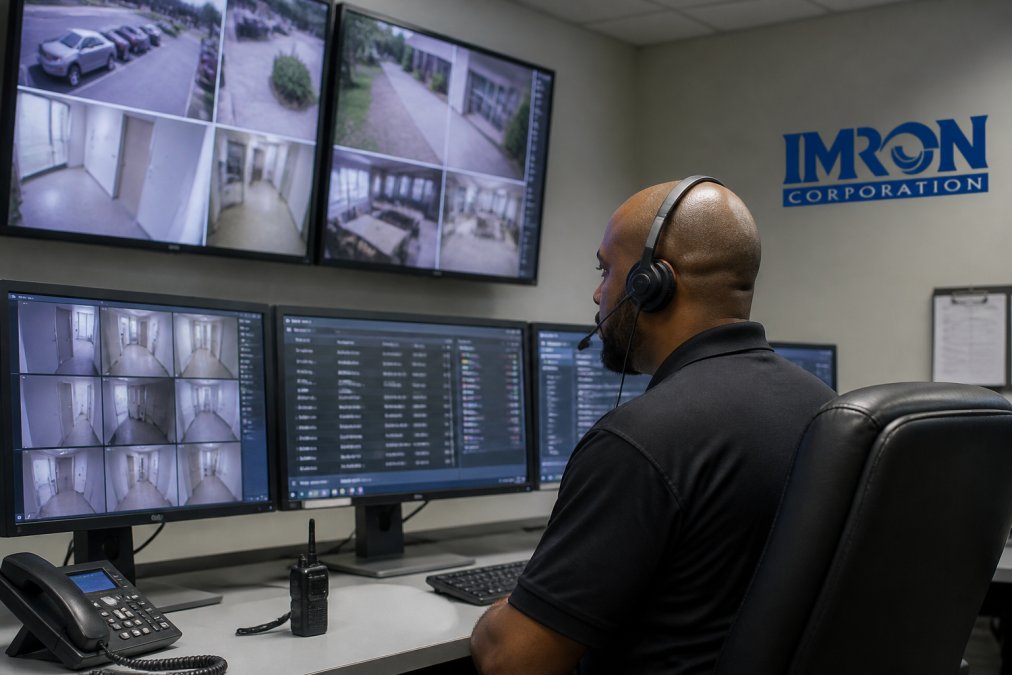
Implementation happens in three phases: Phase one connects access control and video systems and trains core staff. Phase two adds alarms, visitor management, and automates workflows. Phase three optimizes operations based on real-world experience. Maintain legacy systems in parallel until the unified platform is thoroughly tested.
For multi-site operations, consider a phased geographic rollout. Implement at your headquarters first. Use that experience to refine your approach before rolling out to additional locations. This reduces risk and lets you apply lessons learned at each step.
IMRON Corporation's UnityIS® supports flexible deployment, cloud, on-premises, or hybrid configurations. This flexibility lets you match your deployment strategy to your IT infrastructure and compliance requirements. Organizations with strict data residency requirements can run on-premises. Those prioritizing operational simplicity choose cloud deployment.
The biggest mistake is attempting full unification too quickly. Organizations try to integrate every system simultaneously, creating overwhelming complexity. Start with your highest-value integrations. Expand methodically from there.
Don't underestimate training requirements. Your security team has operated separate systems for years. Unified platforms require different mental models. Invest in comprehensive training. Give your team time to become proficient before expanding to additional locations.
Avoid choosing platforms based solely on vendor relationships. Just because you have an existing relationship with a vendor doesn't mean their unified platform is the best choice for your organization. Evaluate objectively based on features, integration capabilities, and total cost of ownership.
Unification introduces a critical cybersecurity paradox: centralizing your security infrastructure creates a single point of failure that, if compromised, could disable your entire physical security operation. This is the mistake most organizations overlook during planning.
The Attack Surface Problem: When systems operate independently, a breach in your video management platform doesn't compromise your access control system. Unified platforms eliminate this natural isolation. An attacker who gains access to your unified dashboard potentially controls access, surveillance, and alarms simultaneously. This requires deliberate architectural and operational safeguards.
Essential Security Controls for Unified Platforms:
Network Segmentation: Isolate your unified security platform on a dedicated network segment with restricted access from your general corporate network. Use a demilitarized zone (DMZ) architecture if your platform requires any internet connectivity. Implement strict firewall rules that allow only necessary traffic between your security network and other systems.
Monitoring and Threat Detection: Implement continuous monitoring of your unified platform for suspicious activity. Monitor for:
Vendor Security Practices: Before selecting a unified platform, evaluate the vendor's security practices:
Many organizations fail to plan for legacy hardware compatibility. Assume that some of your existing equipment won't integrate seamlessly. Budget for replacement hardware or custom integration work. This prevents unpleasant surprises during implementation.
Unified security systems eliminate data silos and reduce detection and containment times. According to IBM Institute for Business Value research, organizations using multiple disparate solutions experience slower response to threats compared to those on unified platforms. Key benefits include centralized management across multiple locations, improved incident response through real-time monitoring, reduced false alarms, and the ability to preserve existing infrastructure investments while avoiding vendor lock-in through open architecture.
Open architecture allows your unified physical security platform to integrate with best-of-breed technologies rather than forcing proprietary replacements. This approach uses API integration and vendor-neutral standards to connect existing access control hardware, video surveillance systems, intercoms, and analytics tools into a single management interface. You avoid costly rip-and-replace scenarios and maintain investments in equipment that still functions well.
Legacy hardware compatibility is a common hurdle. Not all older equipment has modern connectivity or API support. Plan for potential integration costs, timeline delays, and the possibility that some systems may need firmware updates or intermediate gateway solutions to communicate with your unified platform. Conduct a thorough audit of your existing infrastructure before selecting a platform, and confirm vendor support for each device you plan to retain.
A single pane of glass eliminates the need to jump between separate interfaces for access control, video, alarms, and visitor data. When an incident occurs, security teams see all relevant information in one place, reducing the time spent gathering context and enabling faster decision-making. Real-time monitoring and event-driven workflows also trigger automated responses, cutting response times significantly compared to manual, siloed processes.
 IMRON Corporation